
Product Short Description
Product Category: Network Interface Module (NIM) — Ethernet Gateway
Communication Type: Ethernet 10/100 Base-TX, RJ-45 connector
Supported Protocols: Modbus TCP/IP (server and client), BACnet/IP (server and client), Woodward proprietary protocol (W-Net)
Function: Bidirectional data gateway between governor and host system
Compatible Controllers: Woodward EasyGen 2500, 3200, 3500, 3800 series governors; EG4-P, EG4-S, EG4-C controllers
Description
Ethernet Port: 10/100 Base-TX, RJ-45, auto-negotiation
IP Address Configuration: Static IP or DHCP (configurable via web browser or governor front panel)
Maximum Number of Simultaneous Connections: 4 TCP/IP clients
Data Update Rate: Configurable from 100 ms to 5000 ms (default 500 ms)
Register Mapping: Modbus holding registers: 40001–49999; BACnet object list: analog inputs, binary inputs, binary outputs, setpoints
Supported Data Points: Governor speed, load, fuel valve position, temperature, pressure, alarm status, operating mode, setpoints, event logs
Web Server: Built-in HTTP server for browser-based configuration and diagnostics
Firmware Update: Via Ethernet using Woodward Goal software or web browser
Operating Temperature Range: 0°C to +60°C (32°F to +140°F)
Storage Temperature Range: -40°C to +85°C (-40°F to +185°F)
Ambient Humidity: 5% to 95% RH, non-condensing
Altitude: Up to 3000 m (9842 ft) above sea level
Vibration: 5 g, 10–500 Hz (operating); 10 g, 10–500 Hz (survival)
Shock: 30 g, 11 ms half-sine
Ingress Protection: IP20 (indoor use only, panel-mounted)
EMC Compliance: EN 61000-6-2 (industrial environment), EN 61000-6-4 (emission)
Housing Material: ABS plastic (UL 94 V-0 rated) — flame retardant
Front Panel: Polycarbonate lens with LED indicators
PCB Material: FR-4, conformal coated
Connector: RJ-45, gold-plated contacts, shielded
Terminal Block: Screw-clamp, tin-plated brass, 2 positions (power input)
Mounting: DIN rail (35 mm, EN 60715) or panel mount with bracket
Dimensions (approximate): 110 mm × 90 mm × 30 mm (W × H × D)
Weight: Approximately 0.25 kg (0.55 lbs)
Structure:
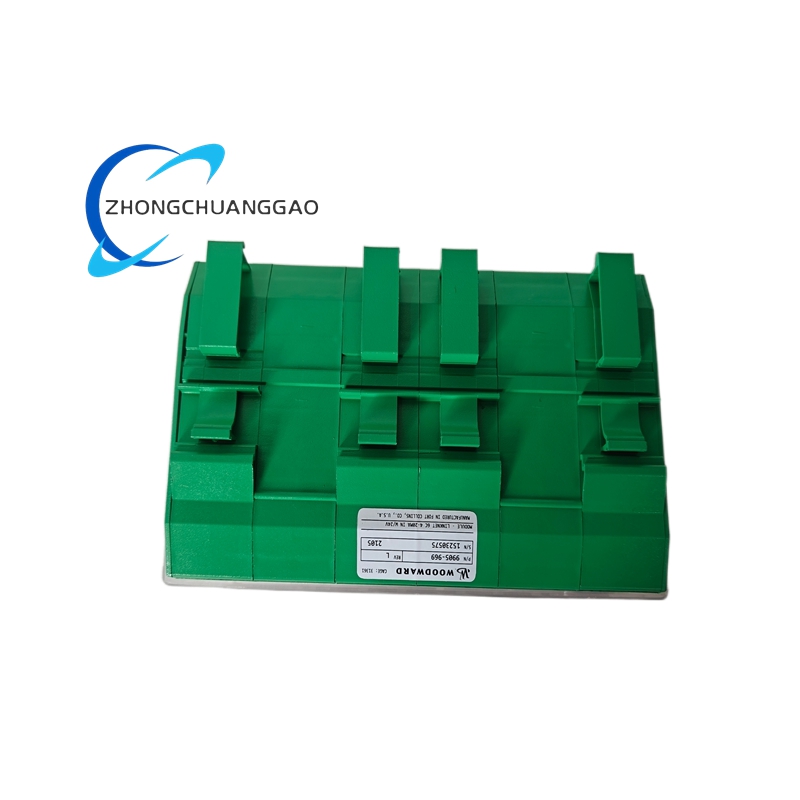
- Compact rectangular enclosure with DIN rail mounting clips on top and bottom
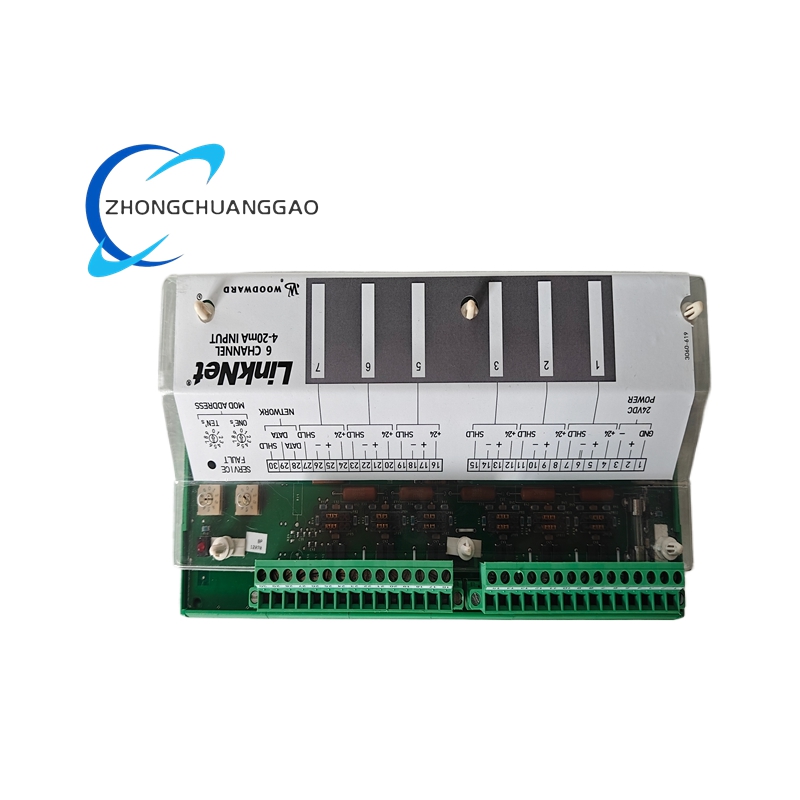
- Front panel: 4 LED status indicators (Power, Ethernet Link, Data Activity, Fault)
- Rear panel: 1 × RJ-45 Ethernet port, 1 × 2-pin screw-clamp terminal block (24 VDC power input)
- Internal: Single PCB with Ethernet PHY, microprocessor, isolation transformer, and voltage regulator
- Labeling: Model number, serial number, IP address, MAC address printed on rear label
Working Principle:
The 9905-969 connects to the Woodward governor via a RS-485 serial link (W-Net proprietary protocol) using a 4-wire shielded twisted-pair cable. The NIM’s internal microprocessor continuously polls the governor for real-time data (speed, load, valve position, alarms) and stores it in an internal buffer. When a host SCADA/DCS system sends a Modbus TCP/IP or BACnet/IP request over Ethernet, the NIM translates the request into a W-Net query, retrieves the data from the governor, and returns the response over Ethernet in the requested protocol format. For write operations (setpoint changes, mode switching), the NIM translates the Modbus/BACnet write command into a W-Net write command and sends it to the governor. The governor executes the command and returns an acknowledgment. The isolation transformer between the RS-485 interface and the Ethernet side provides galvanic isolation (1500 V DC) to protect the governor from network transients.
Key Features:
- Dual protocol support — Modbus TCP/IP and BACnet/IP on a single module
- Web-based configuration — no software installation required; configure via any web browser
- 4 simultaneous TCP/IP clients — multiple SCADA stations can access the governor simultaneously
- Built-in web server — real-time governor dashboard viewable from any browser on the network
- W-Net proprietary protocol — full access to all governor parameters, events, and diagnostics
- Galvanic isolation (1500 V DC) — protects governor from Ethernet surge and ground loops
- Firmware updatable over Ethernet — no physical access required for software upgrades
- LED status indicators — Power, Ethernet Link, Data Activity, Fault (visual diagnostics)
Advantages:
- Eliminates need for serial-to-Ethernet converters — native Ethernet with protocol translation built in
- Multiple SCADA clients simultaneously — 4 independent connections without additional hardware
- BACnet/IP support — direct integration with building management systems (BMS) for cogeneration plants
- Web browser access — instant remote diagnostics from any PC, tablet, or smartphone on the network
- Galvanic isolation — protects the governor from network-side electrical faults and lightning surges
- Firmware-upgradable remotely — reduces service calls and downtime for software updates
- Compact DIN rail form factor — fits in standard control panels without additional space
Applicable Industries:
- Power Generation — gas turbine governor remote monitoring, steam turbine control, diesel generator sets, cogeneration plants
- Oil & Gas — remote monitoring of generator drives on offshore platforms, pipeline compressor stations
- Mining — remote governor monitoring for mine power generation in inaccessible locations
- Marine — shipboard generator control and remote monitoring from bridge or engine room
- Data Centers — UPS and backup generator remote management via BACnet/IP to BMS
- Commercial Buildings — cogeneration plant integration with building automation via BACnet/IP
- Industrial Plants — remote monitoring of standby generators in manufacturing facilities
Model Series:
| Model Number | Protocol | Key Feature |
|---|---|---|
| 9905-969 | Modbus TCP/IP + BACnet/IP | Dual protocol, 4 clients, web server |
| 9905-970 | Modbus TCP/IP only | Single protocol, lower cost |
| 9905-971 | BACnet/IP only | Single protocol, BMS integration |
| 9905-972 | W-Net only (serial) | No Ethernet, RS-485 gateway only |
| 9905-973 | Modbus RTU (serial) | Serial Modbus, no Ethernet |
Compatible Governors:
| Governor Model | Communication Port | NIM Required |
|---|---|---|
| EasyGen 2500 | RS-485 (W-Net) | 9905-969 |
| EasyGen 3200 | RS-485 (W-Net) | 9905-969 |
| EasyGen 3500 | RS-485 (W-Net) | 9905-969 |
| EasyGen 3800 | RS-485 (W-Net) | 9905-969 |
| EG4-P | RS-485 (W-Net) | 9905-969 |
| EG4-S | RS-485 (W-Net) | 9905-969 |
| EG4-C | RS-485 (W-Net) | 9905-969 |
Installation Requirements:
- Mount the NIM on a standard 35 mm DIN rail (EN 60715) in the control panel
- Connect the 24 VDC power supply to the 2-pin screw-clamp terminal block on the rear panel (polarity: positive to +, negative to −)
- Connect the RJ-45 Ethernet cable to the NIM and to the plant Ethernet switch (use shielded CAT5e or CAT6 cable)
- Connect the W-Net serial cable (RS-485, 4-wire shielded twisted pair) from the NIM’s RS-485 port to the governor’s communication port (J4 or J5)
- Set the NIM IP address via the governor front panel menu or via web browser (default: 192.168.1.100)
- Configure the Modbus/BACnet register mapping in the SCADA/DCS system to match the NIM’s register table
- Ground the NIM chassis to the panel earth bar using the dedicated grounding lug
- Verify Ethernet link LED is green and Data Activity LED is flashing after power-up
Usage Precautions:
- Do not connect the NIM to the Ethernet network before configuring its IP address — IP conflict will cause communication failure
- Do not exceed 4 simultaneous TCP/IP connections — additional connections will be rejected by the NIM
- Do not use unshielded Ethernet cable — EMI from VFDs and motors will corrupt data in industrial environments
- Do not connect the RS-485 W-Net cable in parallel with other RS-485 devices — the W-Net protocol is point-to-point only; daisy-chaining causes communication errors
- Do not apply voltage exceeding 32 VDC to the power input — this will damage the internal voltage regulator
- Do not expose the NIM to temperatures above +60°C — internal components are not rated for higher temperatures
- Do not disable the built-in web server firewall — leaving the web interface unprotected exposes the governor to unauthorized access
- Set a strong password on the web interface — the default password must be changed during initial commissioning
- Perform firmware updates only from Woodward-approved sources — unauthorized firmware can brick the module
- Verify register mapping in the SCADA system matches the NIM documentation — mismatched registers cause incorrect data display
Certifications:
- CE Marked (EMC Directive 2014/30/EU, Low Voltage Directive 2014/35/EU)
- UL Listed (File E211762) — for use in North American control panels
- CSA Certified (File LR42403)
- RoHS Compliant (Directive 2011/65/EU)
- REACH Compliant (Regulation EC 1907/2006)
- WEEE Compliant (Directive 2012/19/EU)
Documentation Reference:
- Woodward 9905 Series Network Interface Module Installation Manual (Document 9905-IM-001)
- Woodward 9905 Series Technical Data Sheet (Document 9905-TDS-001)
- Woodward EasyGen Governor Communication Guide (Document EG-COM-001)
- Woodward NIM Configuration Guide — Web Interface (Document 9905-WEB-001)
- Woodward Modbus Register Map (Document 9905-MOD-001)
- Woodward BACnet Object List (Document 9905-BAC-001)
Replacement Parts:
| Part Number | Description |
|---|---|
| 9905-PCB-001 | Main circuit board assembly |
| 9905-ETH-001 | RJ-45 Ethernet connector assembly |
| 9905-LED-001 | LED indicator board assembly (4 LEDs) |
| 9905-TR-001 | Isolation transformer assembly |
| 9905-PWR-001 | Voltage regulator assembly (24 VDC input) |
| 9905-TB-001 | Terminal block assembly (2-pin, screw-clamp) |
| 9905-RS485-001 | RS-485 serial port assembly (W-Net) |
| 9905-ENC-001 | DIN rail mounting enclosure (ABS) |
| 9905-LAB-001 | Label kit (model, serial, IP, MAC) |
Reviews
There are no reviews yet.