
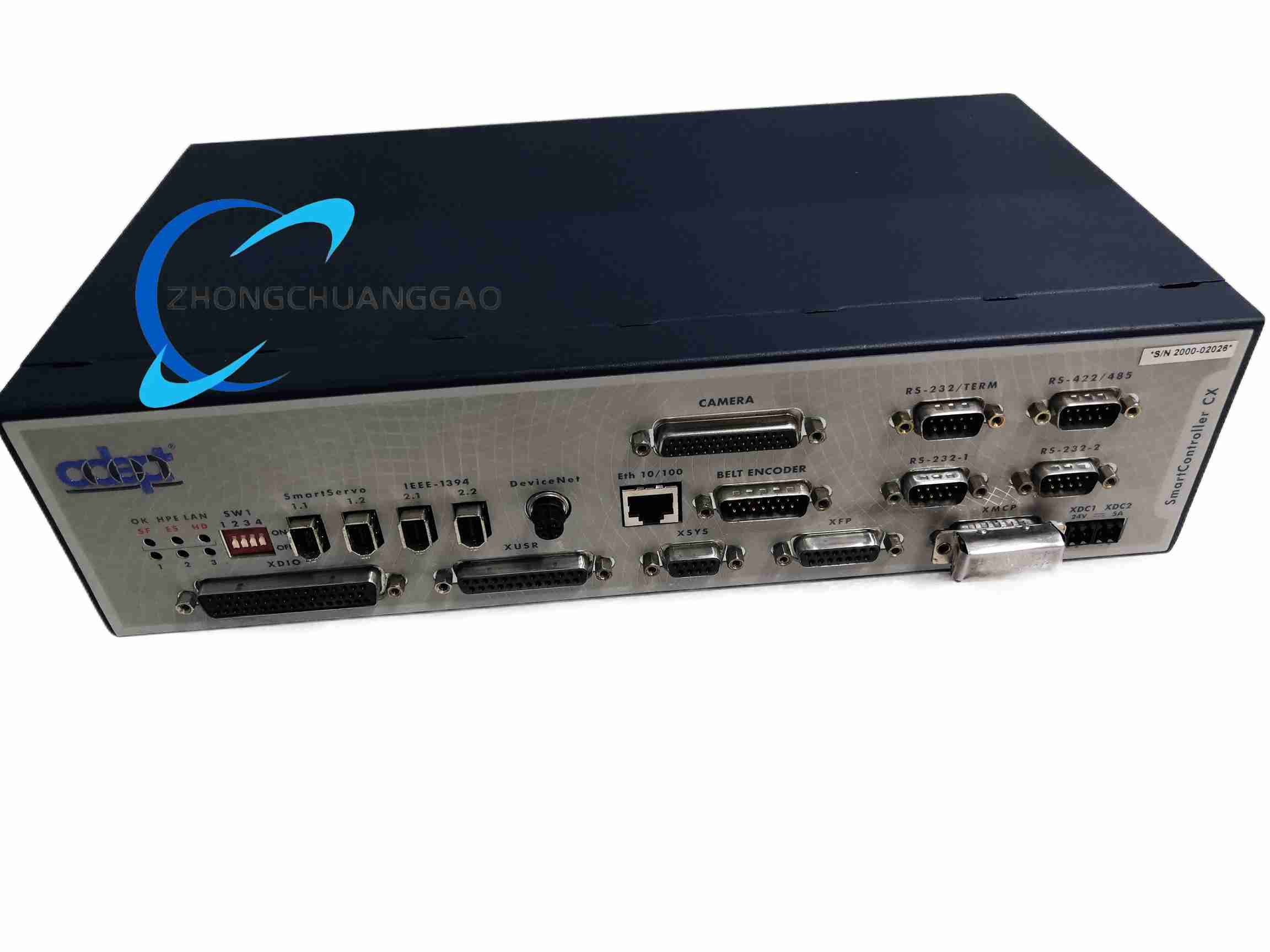
Description
-
Used to control Adept robots, gantry systems, and multi-axis motion platforms.
-
Supports integration with vision systems, I/O modules, and peripheral automation equipment.
-
Designed for factory automation, material handling, assembly, and machine tending.
Technical Specifications
-
Manufacturer: Adept Technology, now associated with Omron Robotics
-
Model: 20000-310
-
Controller Family: SmartController CX
-
System Power: 24 VDC controller supply reported for related listings
-
Supported Robots: Adept Cobra, Viper, Cartesian, and custom motion systems depending on bundle
-
Expansion: Supports sDIO modules and additional I/O accessories
-
Interface Options: Serial communication, DeviceNet, digital I/O, encoder interfaces, and vision options depending on configuration
-
Programming Environment: Adept ACE software platform
Functional Features
-
Real-time robot and motion control.
-
Integration with Adept vision systems.
-
Configurable digital I/O through sDIO expansion.
-
Emergency stop and safety circuit interfaces.
-
Support for automatic and manual operating modes.
-
Removable programming pendant or remote control options.
Application Scenarios
-
Assembly automation
-
Pick-and-place operations
-
Material handling
-
Packaging lines
-
Electronics manufacturing
-
Machine tending
-
Vision-guided robotic systems
Material and Structural Characteristics
-
Industrial controller housed in a fixed enclosure.
-
Front-panel indicators and control elements.
-
Rear connectors for power, I/O, networking, and motion interfaces.
-
Optional flash card or storage module depending on revision.
-
Designed for cabinet or workstation integration.
Working Principle
-
Receives program instructions from Adept ACE or connected programming devices.
-
Generates motion commands for connected robots or axes.
-
Monitors I/O, safety circuits, encoder feedback, and peripheral devices.
-
Coordinates robot movement with conveyors, vision cameras, and external machines.
Installation Requirements
-
Install in a suitable industrial enclosure or control cabinet.
-
Provide stable 24 VDC power according to controller requirements.
-
Connect safety circuits before enabling high power.
-
Use shielded cables for communication and encoder signals.
-
Ground the controller properly to reduce electrical noise.
-
Verify robot model compatibility before system startup.
Usage Precautions
-
Never bypass emergency stop or safety interlocks.
-
Perform functional checks on e-stop and enabling devices before operation.
-
Keep firmware and configuration backups.
-
Train operators before using manual or automatic modes.
-
Inspect cables, connectors, and grounding regularly.
-
Disconnect power before servicing internal components.
Reviews
There are no reviews yet.