
Product Short Description
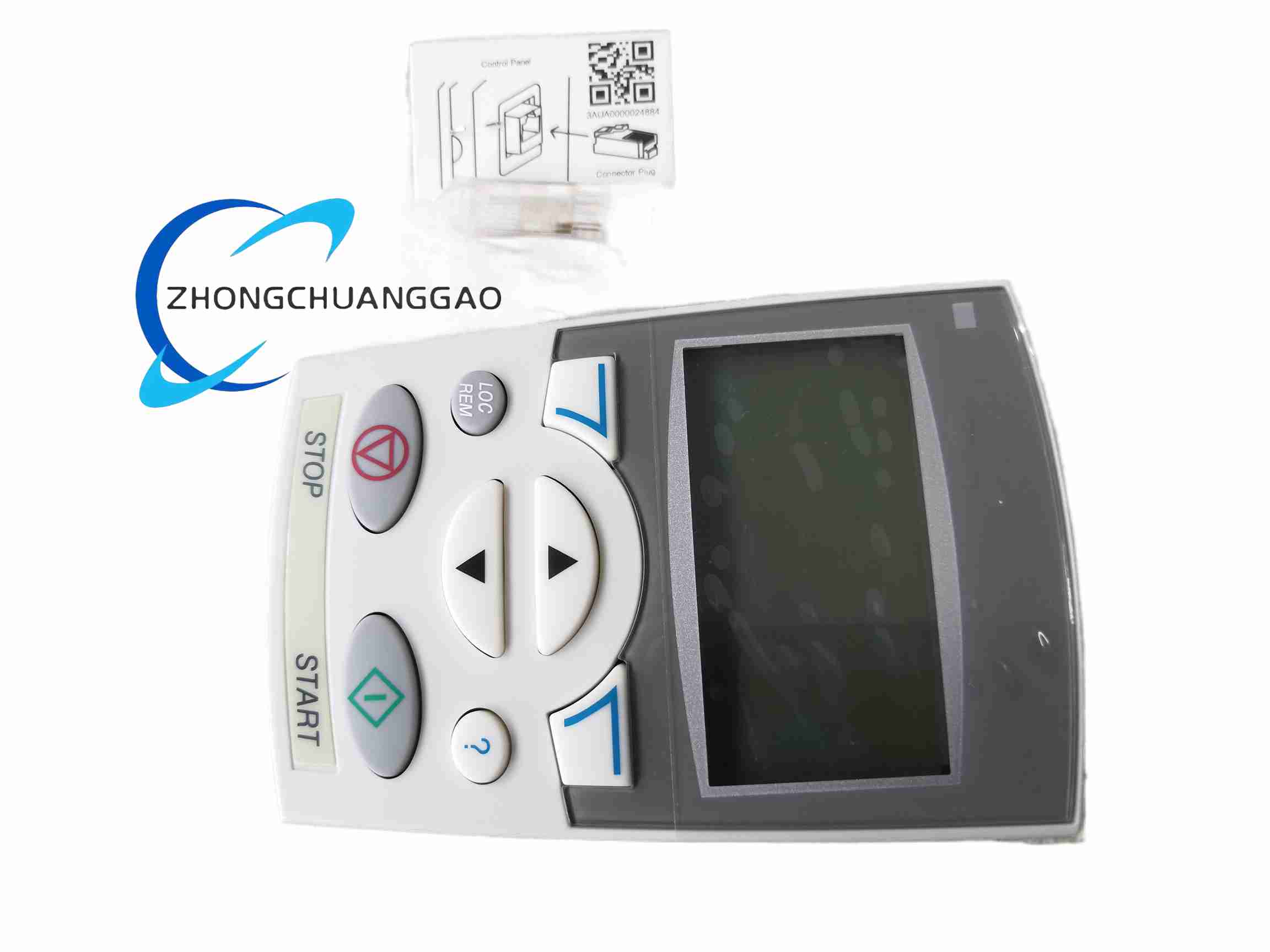
Product Overview: The ABB ACS-CP-D is an assistant-type operator panel for ABB low-voltage AC drives, compatible with ACS310, ACS350, ACS355, ACS510 and ACS550. It features a graphical alphanumeric display, context-sensitive help, built-in commissioning wizards, multi-language support (including Chinese), parameter backup/restore and a real-time clock. The panel can be detached from the drive for offline parameter editing and re-attached to another drive for fast configuration cloning, greatly simplifying commissioning and maintenance.
Description
Technical Specifications:
-
Compatible Drives: ACS310, ACS350, ACS355, ACS510, ACS550
-
Display: Graphical alphanumeric display (multi-row)
-
Keys: 6 keys — Start, Stop, Up, Down, Local/Remote, Menu/Enter/Exit, plus soft keys and Help
-
Functions: Start/Stop, speed adjustment, direction control, fault indication, parameter editing, wizards, help texts, clock function
-
Parameter Management: Upload (UL) and download (DLP) of full parameter sets to/from panel memory
-
Languages: Multiple, including English and Chinese (selected via parameter 99.01 = 1)
-
Hot-plug: Supported — panel can be removed/attached while the drive is powered
-
Enclosure Material: Plastic
-
Dimensions: 115 mm × 70 mm × 30 mm
-
Weight: Approx. 250 g
-
Control Modes: Local (via panel) or Remote (via I/O or fieldbus)
Key Features:
-
Assistant (wizard) function guides users through major parameter settings for rapid commissioning
-
Built-in help text gives on-screen guidance, lowering the learning curve
-
Parameter copy function backs up configuration to the panel or transfers it to another drive
-
Multi-language display, switchable to Chinese for local operation
-
Hot-pluggable design for convenient maintenance and drive replacement
-
Cabinet door mounting kit available with identical cut-out dimensions to ACS-CP-C
Application Scenarios: Fan and pump control, conveyor systems, packaging machines, processing machinery, HVAC systems.
Installation Requirements:
-
Mount the panel directly onto the drive’s control panel interface, or install on the cabinet door using the dedicated mounting kit
-
Ensure the panel connector is fully engaged with the drive’s control board
-
For cabinet door mounting, maintain the specified cut-out dimensions and sealing to meet enclosure rating
Usage Notes:
-
During motor identification (ID run), avoid pressing any key on the panel
-
Switch control location to LOC (local) before performing parameter upload/download
-
After changing language or parameters, press Exit to save and return to the normal display
-
Parameter backup should be performed with the drive stopped to ensure data integrity
Reviews
There are no reviews yet.